Zero and your agents, in Slack.
Each person links their own Slack account to connect0. The app then uses that person's connect0 permissions in direct messages, in the channels it is invited to, and on the approvals waiting for them.
Already use connect0? Open connect0 and go to Settings → Channels.
What it does in Slack
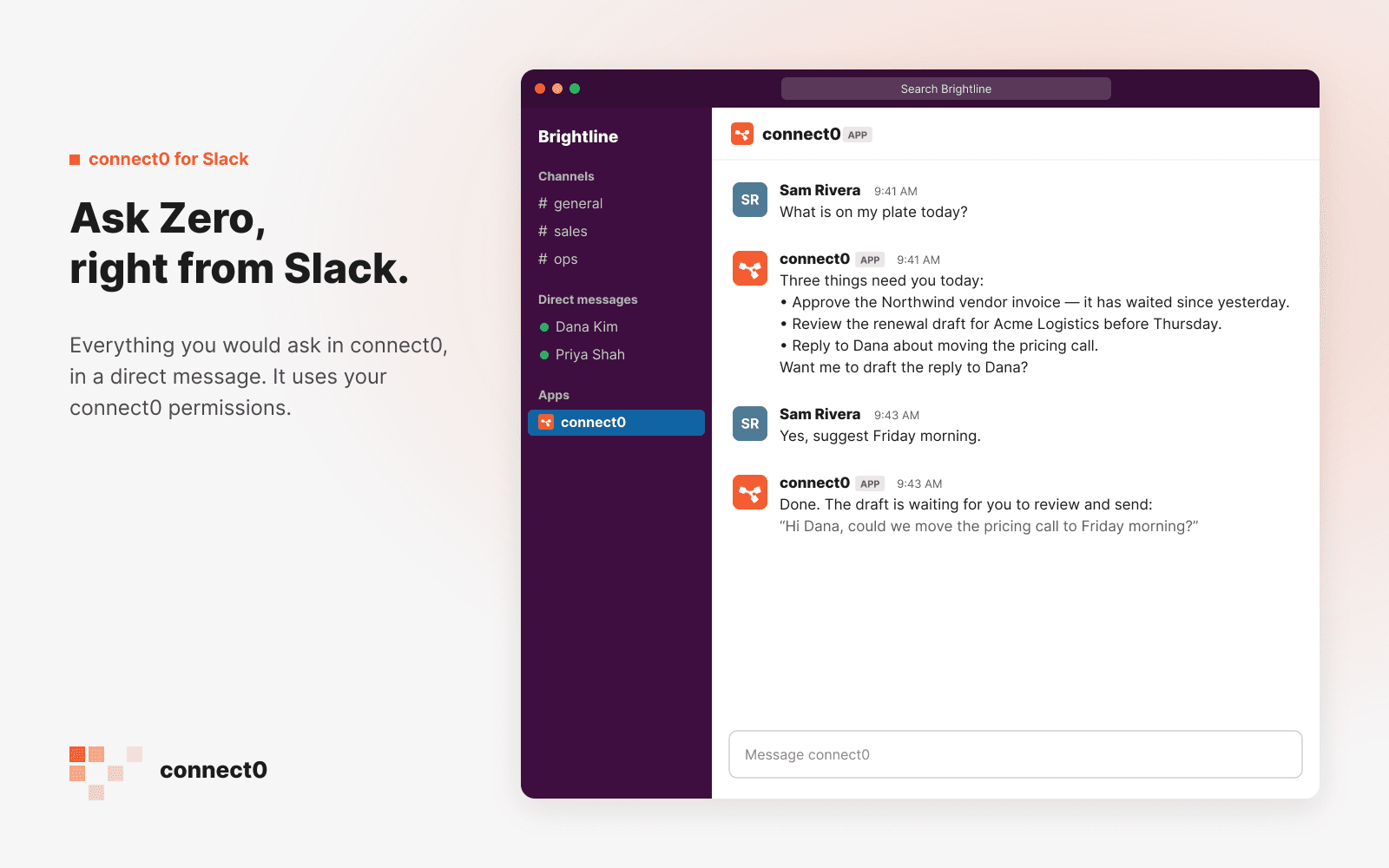
Ask Zero, right from Slack.
Everything you would ask in connect0, in a direct message. It uses your connect0 permissions.
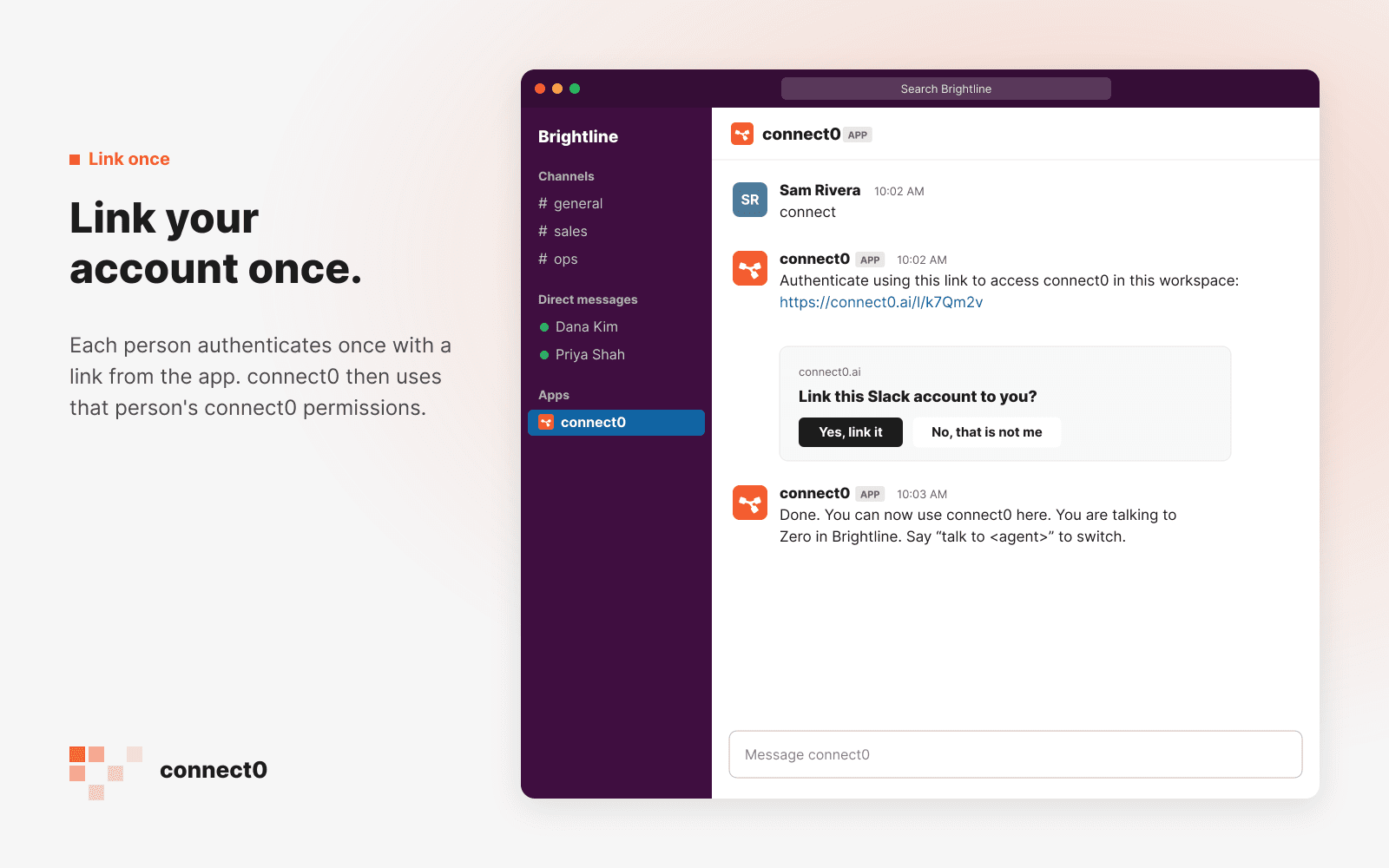
Link your account once.
Each person authenticates once with a link from the app. connect0 then uses that person's connect0 permissions.
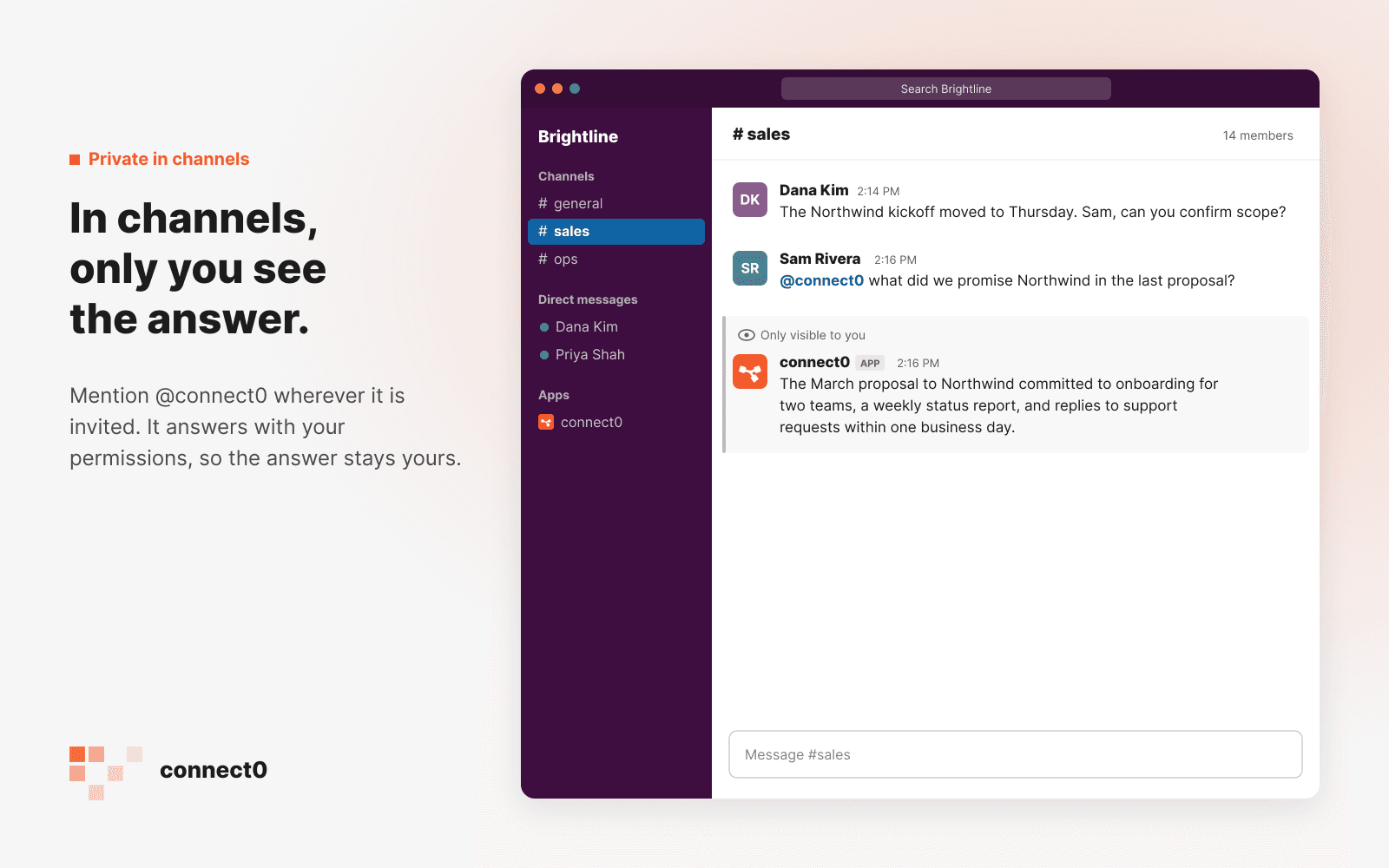
In channels, only you see the answer.
Mention @connect0 wherever it is invited. The answer uses your connect0 permissions, so only you see it.
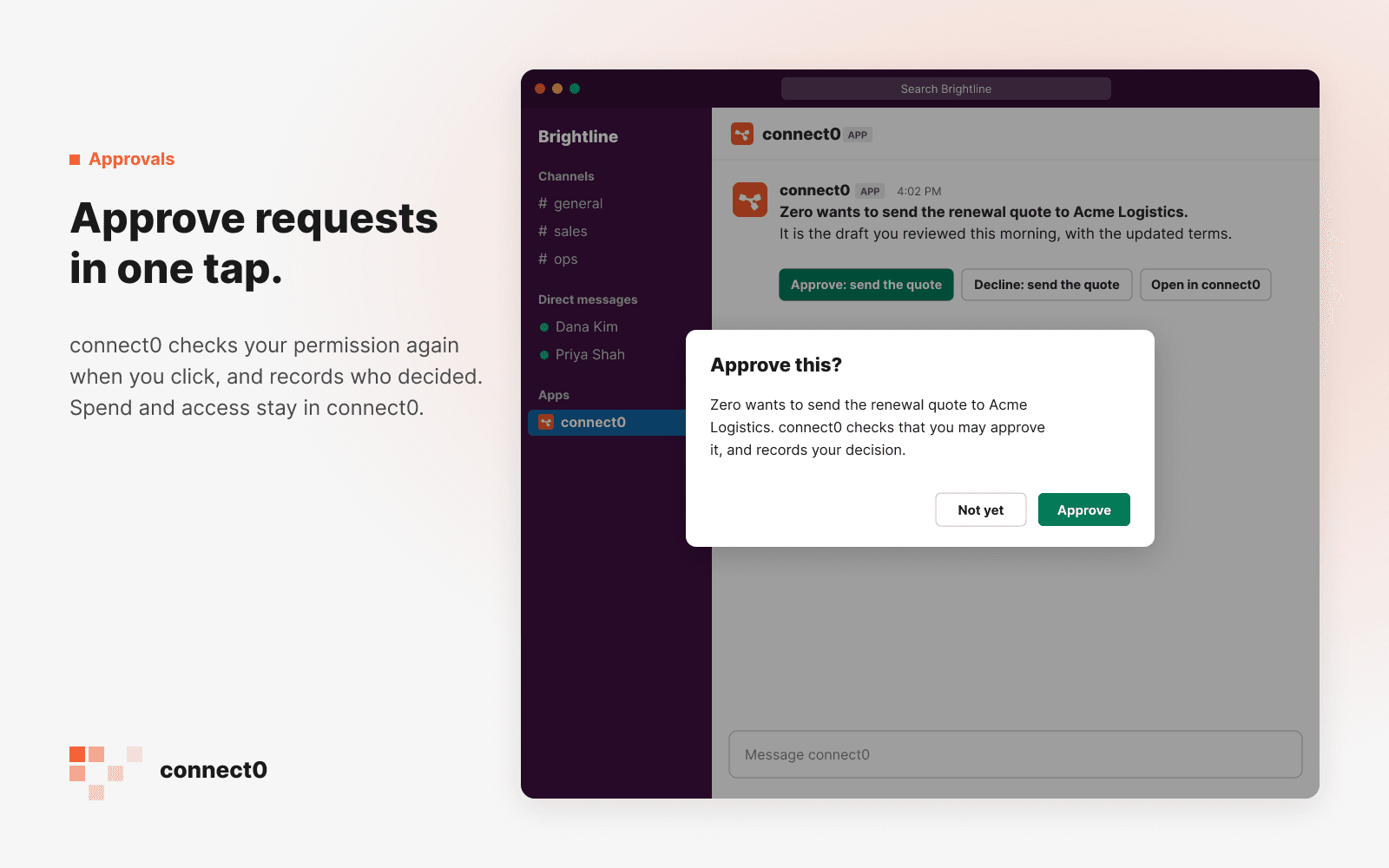
Approve requests in one tap.
connect0 checks your permission again when you click, and records who decided. Spend and access stay in connect0.
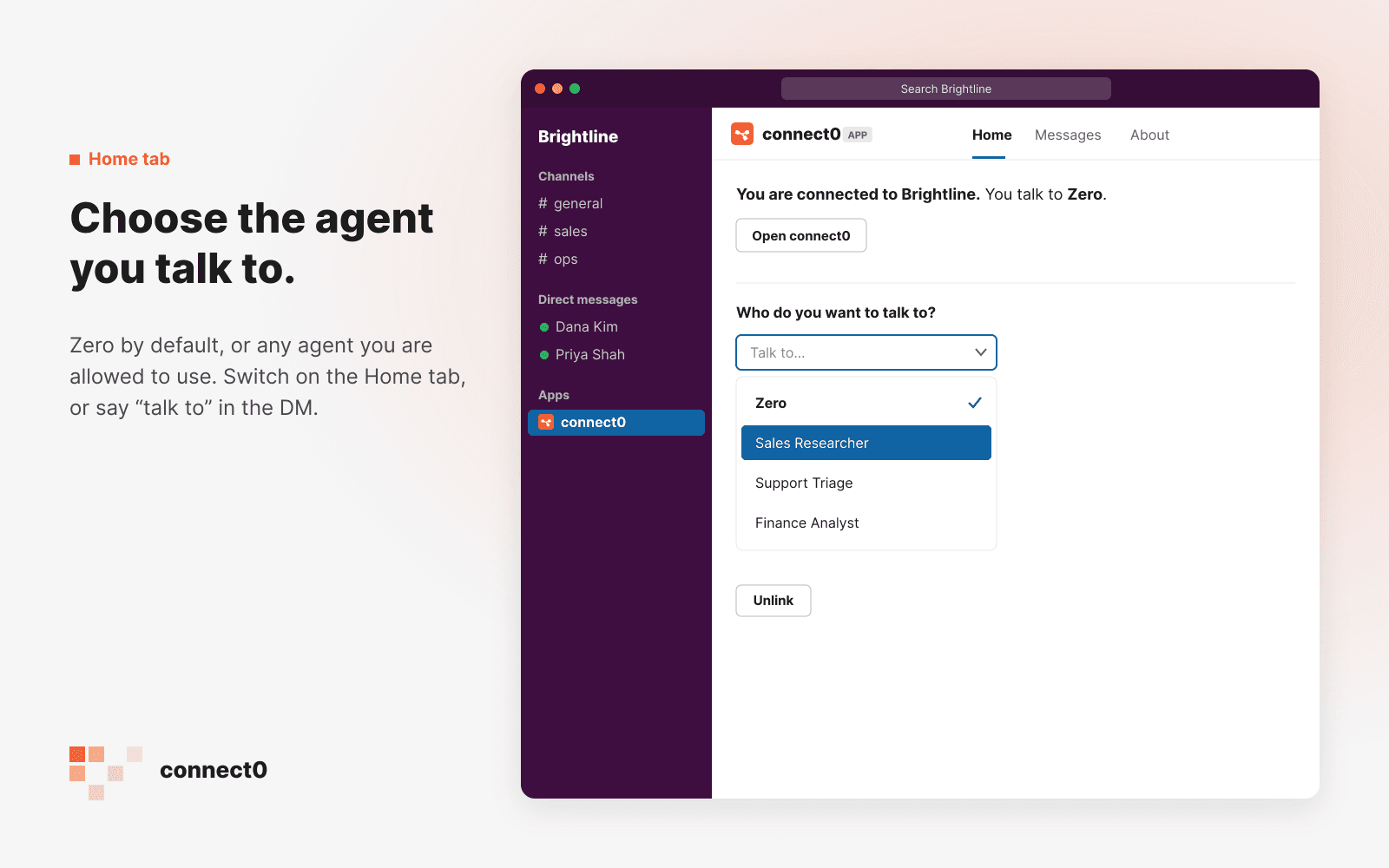
Choose the agent you talk to.
Zero by default, or any agent you are allowed to use. Switch on the Home tab, or say “talk to” in the DM.
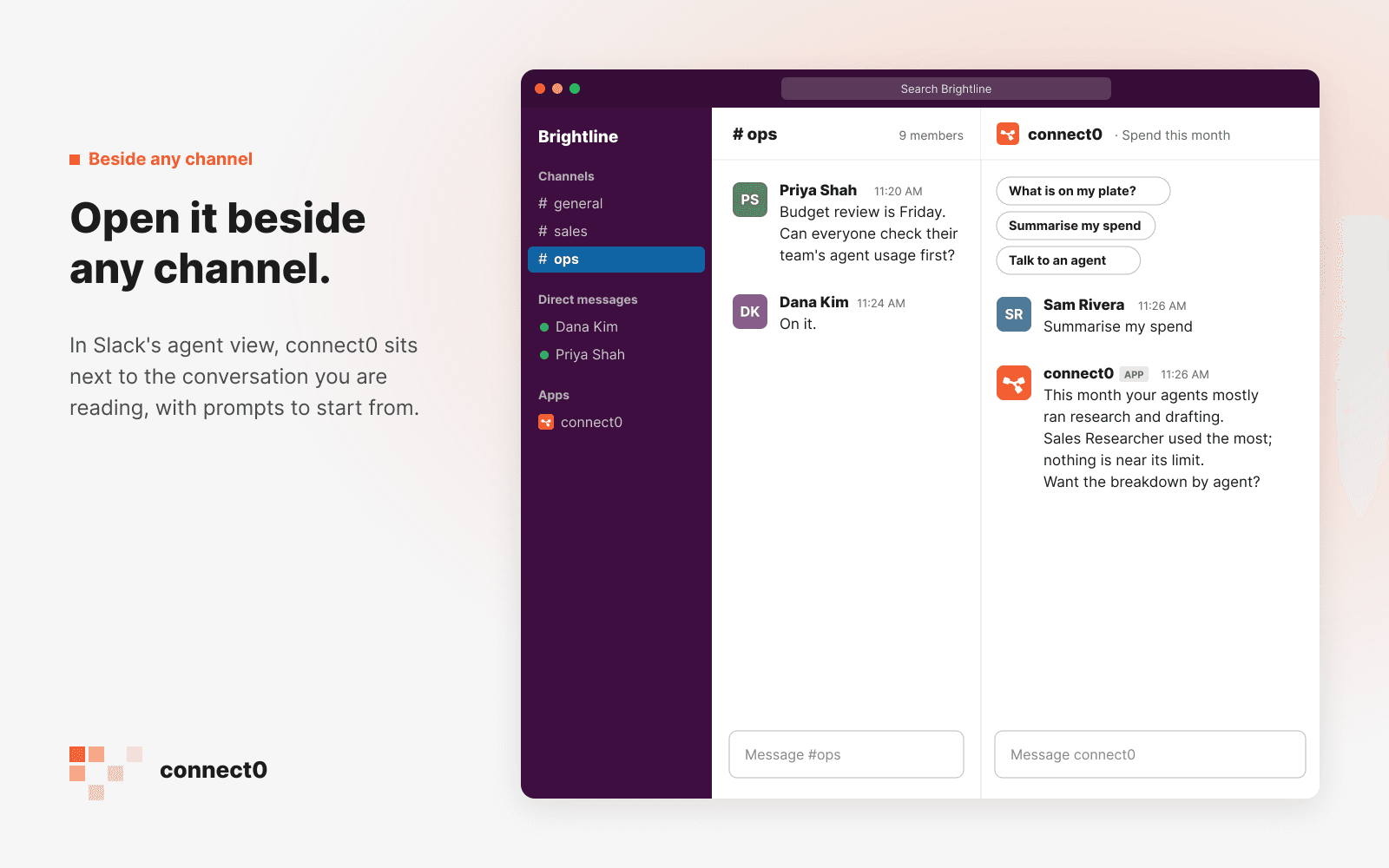
Open it beside any channel.
In Slack’s agent view, connect0 sits next to the conversation you are reading, with prompts to start from.
Only what you send it, nothing more.
Your messages to it
Never channel history
Private answers
Approvals checked twice
On the record
Three steps, then ask.
- 01
Connect Slack
An owner or admin opens Settings → Channels in connect0, presses Connect Slack and approves the install for the workspace. - 02
Each person links
Everyone sends the connect0 app the wordconnectin a direct message, opens the link it sends and confirms it is them. - 03
Invite it to channels
Invite @connect0 to the channels where it should answer. It speaks there only when someone mentions it.